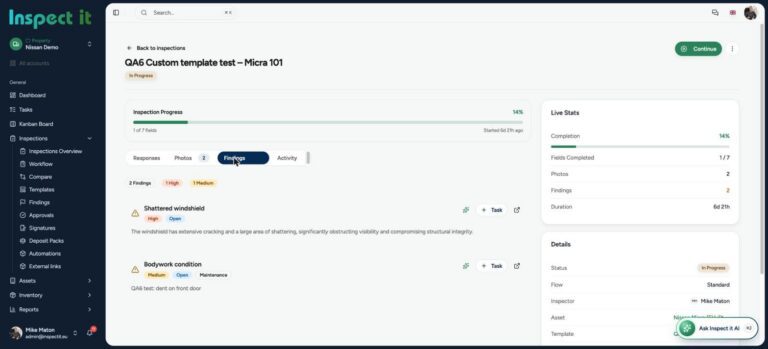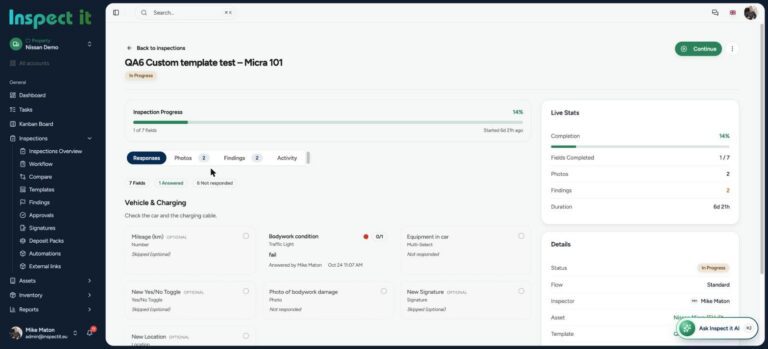


A building is not one asset. It is hundreds: lifts, boilers, air handling units, fire doors, emergency lighting, roofs, pumps, access control. Each has its own inspection frequency, its own compliance rule and its own failure cost. Asset inspection software exists to keep track of all of them.
Facility managers are expected to know the condition of all of them, at any time, with evidence. This guide covers what asset inspections involve, how to structure them, and how inspection software with AI-assisted reports turns an impossible admin load into a routine.
Put one plant room on the record
Inspect a single plant room with us and see the report before you are back at your desk.
What is an asset inspection?
An asset inspection is a scheduled or reactive check of a specific piece of equipment or building element to assess its condition, confirm compliance and identify maintenance needs. It differs from a general building inspection because it is asset-centric: the record follows the asset through its life, not just the building.
The main types of asset and facility inspection
Statutory and compliance inspections. Fire safety systems, lifts, pressure systems, electrical installations, gas, water hygiene. Frequencies are set by regulation, and missed inspections carry legal risk.
Planned preventive maintenance inspections. Routine checks of HVAC, pumps, boilers and plant to catch wear before failure.
Condition surveys. Periodic assessments of roofs, facades, structure and finishes to plan capital spend.
Reactive inspections. Triggered by a reported fault, a leak, a complaint or an incident.
Handover and warranty inspections. Checking new or replaced assets against specification before accepting them.
Typical inspection frequencies
These are common starting points, not legal advice. Statutory intervals differ by country and by asset, so confirm each one against your local regulations and the manufacturer’s guidance.
| Asset | Common starting point | What to record |
|---|---|---|
| Fire extinguishers | Regular visual check, annual service | Present, charged, mounted, tagged |
| Emergency lighting | Regular function test, annual full test | Every test, pass or fail |
| Fire doors | Several times a year | Closers, seals, gaps, damage |
| Lifts | Regular visual check plus statutory examination | Operation, alarm, certificates |
| HVAC and air handling units | Quarterly | Filters, belts, drains, controls |
| Boilers and plant | Regular visual check, annual service | Pressures, temperatures, leaks |
| Roofs and gutters | Twice a year | Ponding, debris, membrane condition |
| Facades and external fabric | Annually | A photo baseline each year |
| Water systems | Regular temperature checks | A continuous log |
| Access control and CCTV | Quarterly | Every point tested |
Why asset inspections fail in practice
- The schedule lives in someone’s head. When they leave, the schedule leaves with them.
- Records are scattered. Service certificates in one folder, photos in another, the spreadsheet somewhere else.
- No link between finding and fix. A fault is noted, but the job is raised separately and never connected back.
- Reports take longer than inspections. Technicians spend evenings writing up.
- No trend visibility. A pump flagged three times in a year looks like three unrelated notes.
How asset inspection software changes the job
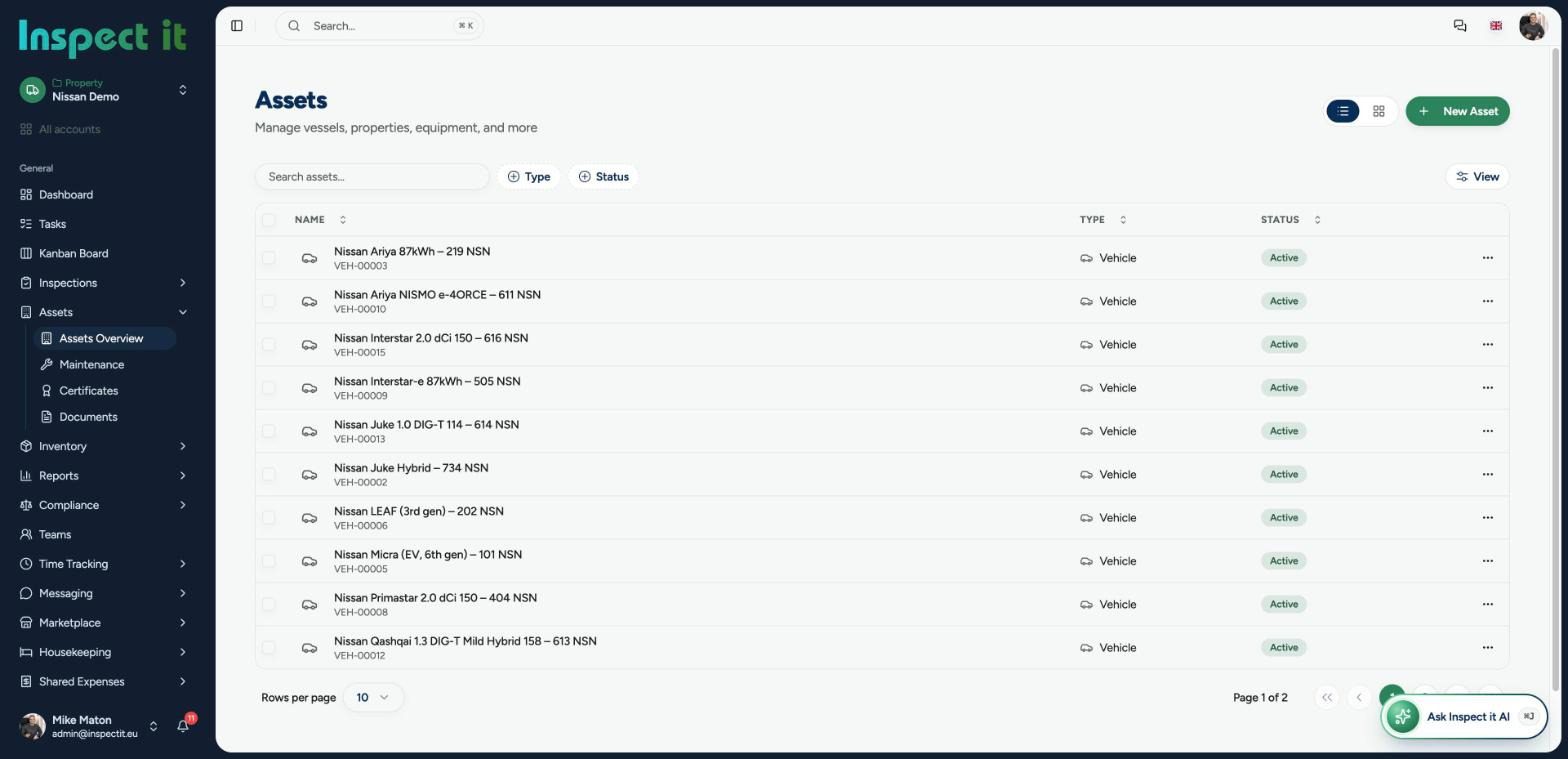
An asset register with history. Every asset has a record, and every inspection ever done on it sits behind that record.
Checklists per asset type. A fire door check, a lift check and a roof check each have their own template, with required photos and readings.
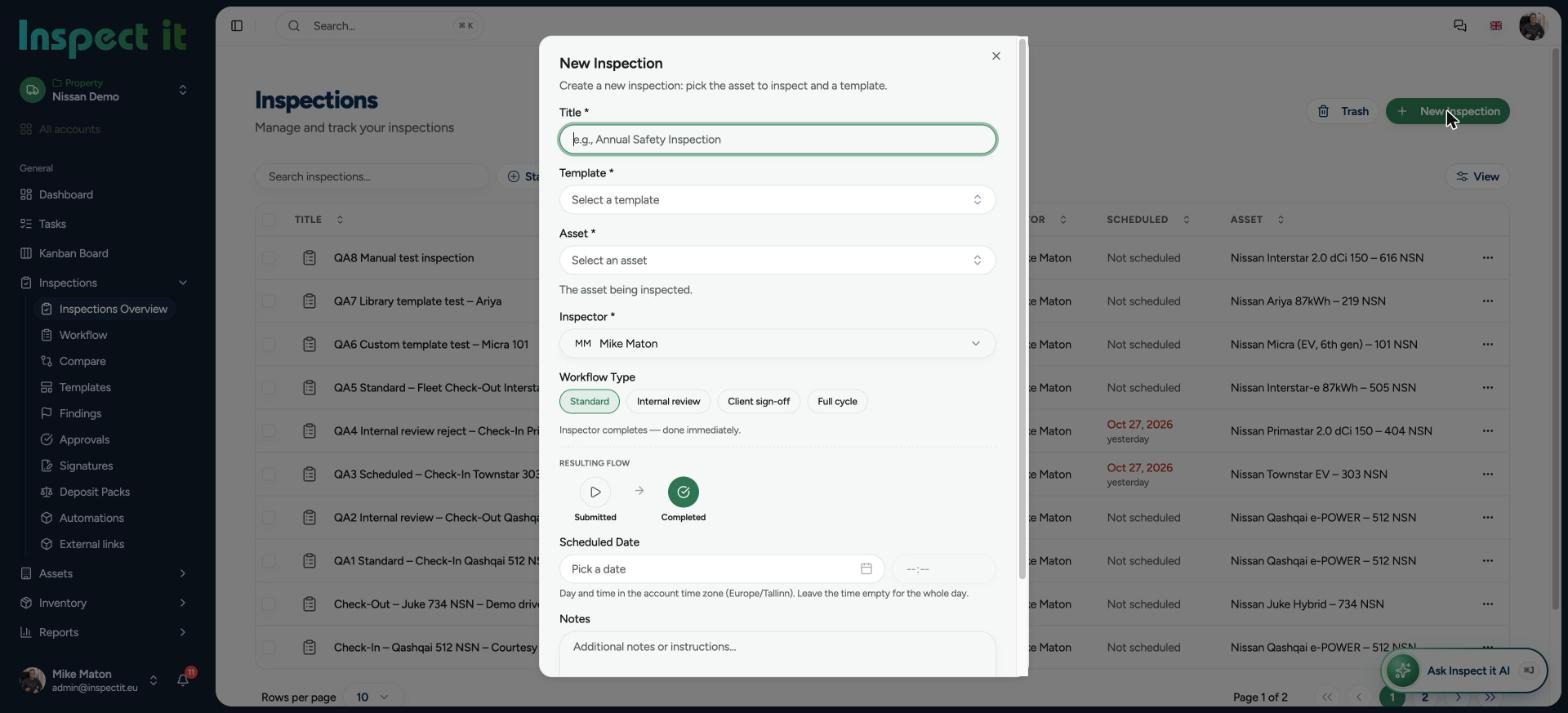
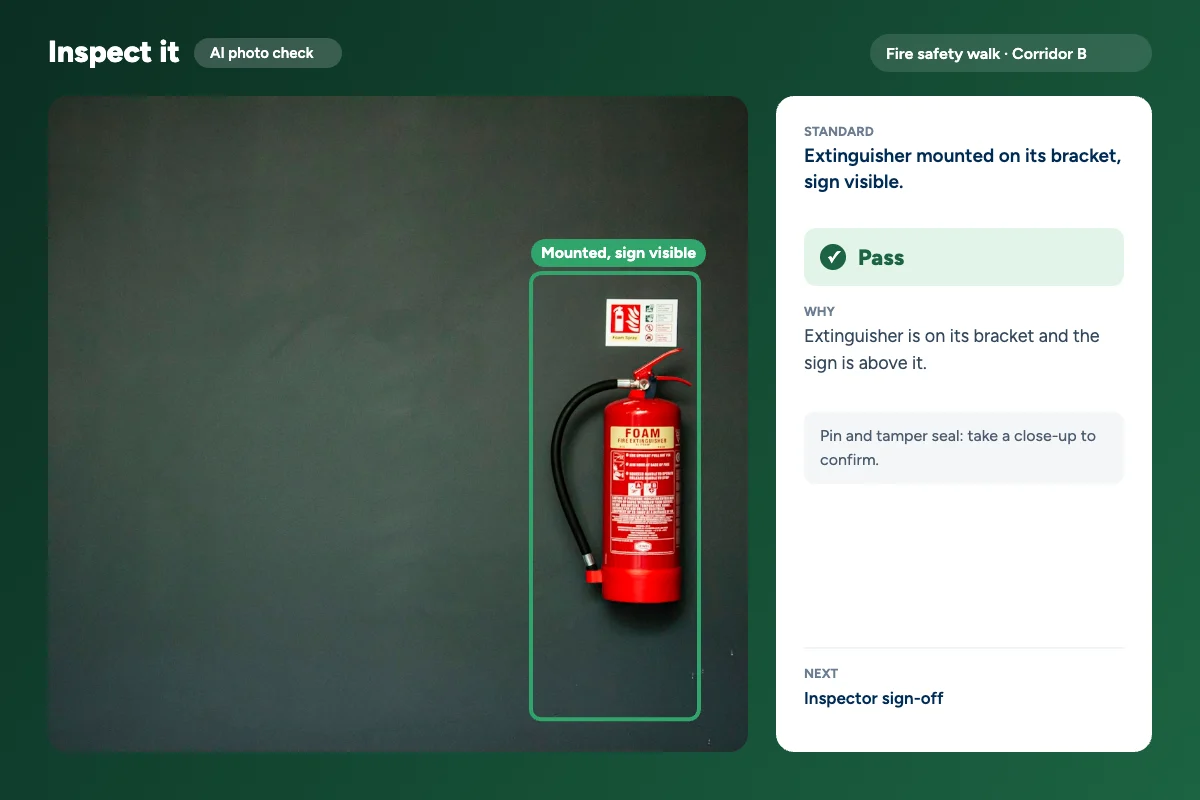
Photo checks that catch mistakes on the spot. AI can review an inspection photo as it is taken and flag when the evidence does not show what the checklist asks for.
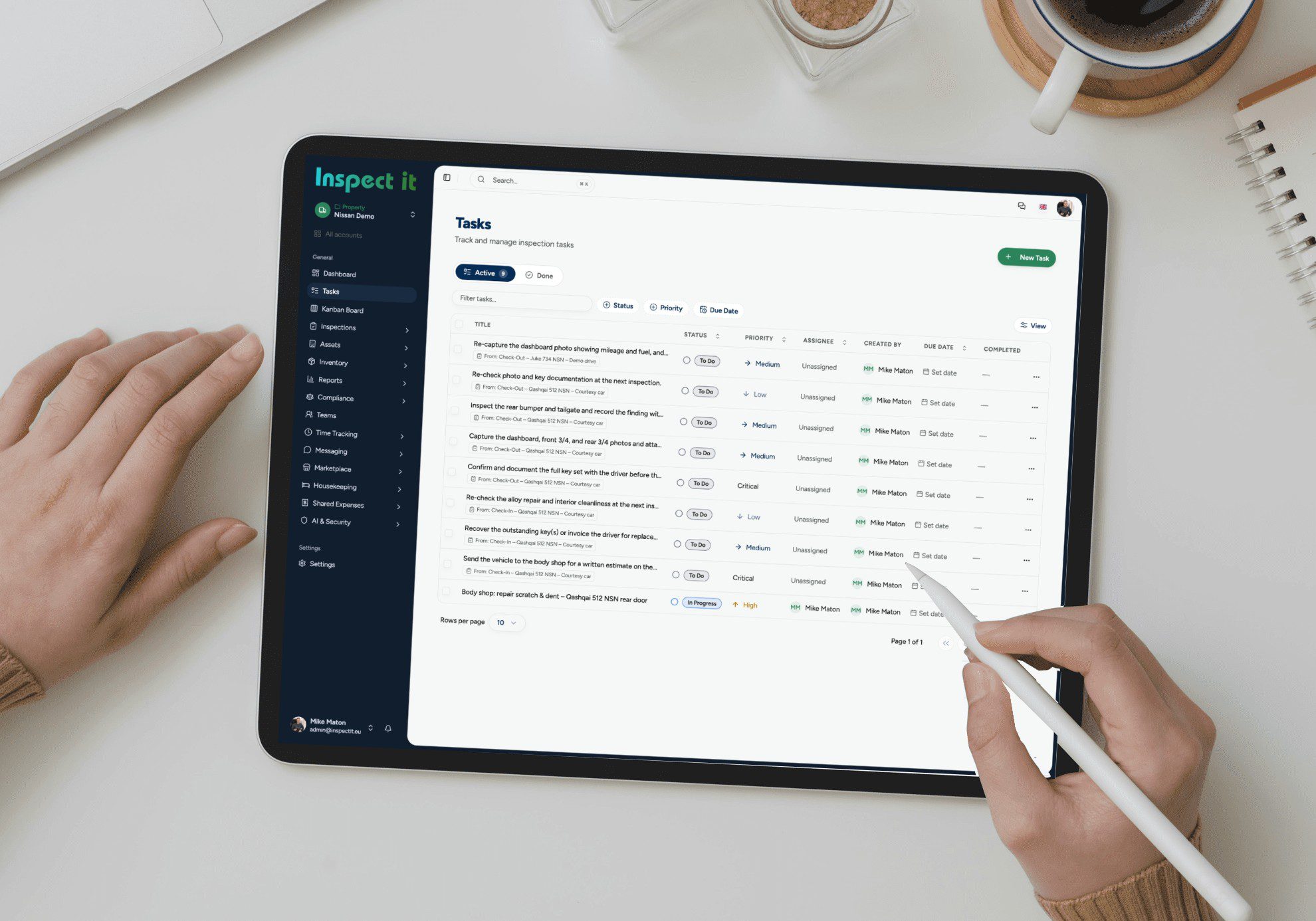
Findings become tasks. A defect found during an inspection is assigned to a technician or contractor with a deadline and tracked to closure.
AI-assisted reports. Findings, photos and readings are turned into a clear, consistent report the moment the inspection ends. The inspector reviews and sends; no evening write-up. More on this in what AI catches in inspection photos.
One view of the portfolio. Condition and open actions across every building, with overdue and high-severity items on top.
Stop chasing certificates across folders
Move one asset class to digital inspections first, then add the rest.
Facility inspection checklist: a starting template
Fire and life safety
- Extinguishers present, charged, tagged
- Emergency lighting tested and logged
- Fire doors close fully, seals intact, no wedges
- Escape routes clear, signage visible
- Alarm panel healthy, no faults
Mechanical and electrical
- Plant room clean, no leaks, no unusual noise
- Boiler pressures and temperatures within range
- Air handling unit filters, belts, drains
- Distribution boards labelled, closed, no scorching
- Lift operation, alarm, lighting
Building fabric
- Roof: ponding, debris, membrane condition
- Gutters and downpipes clear
- Facade: cracks, staining, loose elements
- Windows and doors: operation, seals
- Internal finishes: damage, damp, staining
Water and hygiene
- Hot and cold outlet temperatures logged
- Tanks and storage inspected
- Little-used outlets flushed
Security and access
- Access control points tested
- CCTV coverage and recording confirmed
- External lighting operational
More templates: free inspection checklists.
Asset inspections in the Baltics and Nordics
Facility teams in Estonia, Latvia, Lithuania, Finland and Sweden face strict compliance expectations, often across mixed-age portfolios. Inspect it is built in Estonia for European property and facility managers, with one platform for every inspection type. See how it works for facility managers and property managers.
Free checklist templates
Print these or run them in Inspect it:
Frequently asked questions
What is the difference between an asset inspection and a building inspection?
A building inspection assesses the property as a whole. An asset inspection follows a specific piece of equipment or building element, with its own schedule and history.
Can inspection software replace a maintenance system?
It complements one. Asset inspection software captures condition and evidence on site; many teams run it alongside their maintenance system.
How does AI help with inspection reports?
It turns structured findings and photos into clear narrative text that is consistent across inspectors. The human still judges condition and severity.
Can we use it to show compliance?
A complete, dated evidence trail for every inspection is exactly what auditors ask for. Check how each tool handles schedules and overdue inspections.
Does it work in plant rooms and basements?
Signal is often poor there, so test how any tool behaves without a connection before you commit.
Related guides: building inspection software and snagging and defect management.
Put your assets on one record
Inspect one plant room this week and see the report before you are back at your desk.