

Why Facility Maintenance Gets Out of Control
In most buildings, maintenance does not fail because people do not care. It fails because the information is scattered. A leaking tap is mentioned in an email, the fire door check lives in a paper log, the boiler service date is in someone’s calendar, and the photo of the damaged ceiling tile is on a contractor’s phone.
Facility maintenance software brings all of that into one place. This guide explains what it does, which features matter, and how to choose a system your team will actually use.

What Facility Maintenance Software Does
Facility maintenance software is a cloud-based tool for planning, recording and following up the work that keeps a building safe and running. A good system covers four jobs:
- Inspections and checks: routine walk-rounds, fire safety, water hygiene, cleaning standards and condition surveys.
- Planned preventive maintenance: recurring tasks scheduled automatically, with reminders before they are due.
- Reactive work orders: issues reported, assigned, fixed and closed with evidence.
- Assets and records: a history for each building, room and piece of equipment that you can show to auditors, insurers and clients.
Inspections Are Where Maintenance Starts
Most maintenance work begins with someone noticing a problem. If inspections are rushed, done on paper or skipped, problems surface only when something breaks. That is the expensive way to run a building.
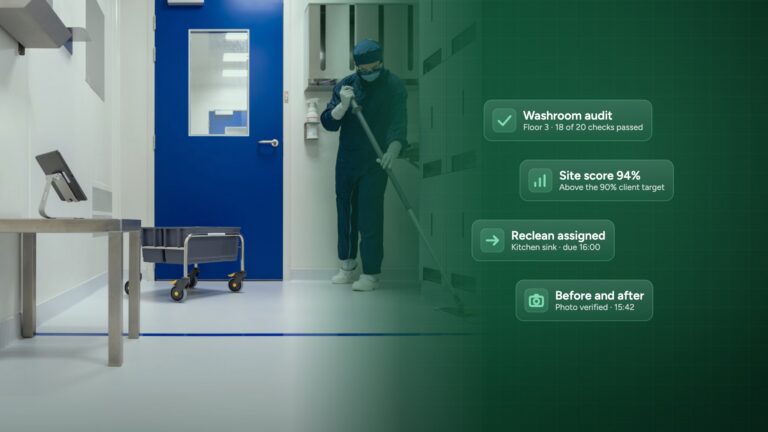
When inspections run on a phone or tablet, every finding becomes a work order on the spot, with a photo, a location, an owner and a deadline. Managers see what was found, what is open and what is overdue across every site, without chasing anyone for updates.
Planned Maintenance That Happens
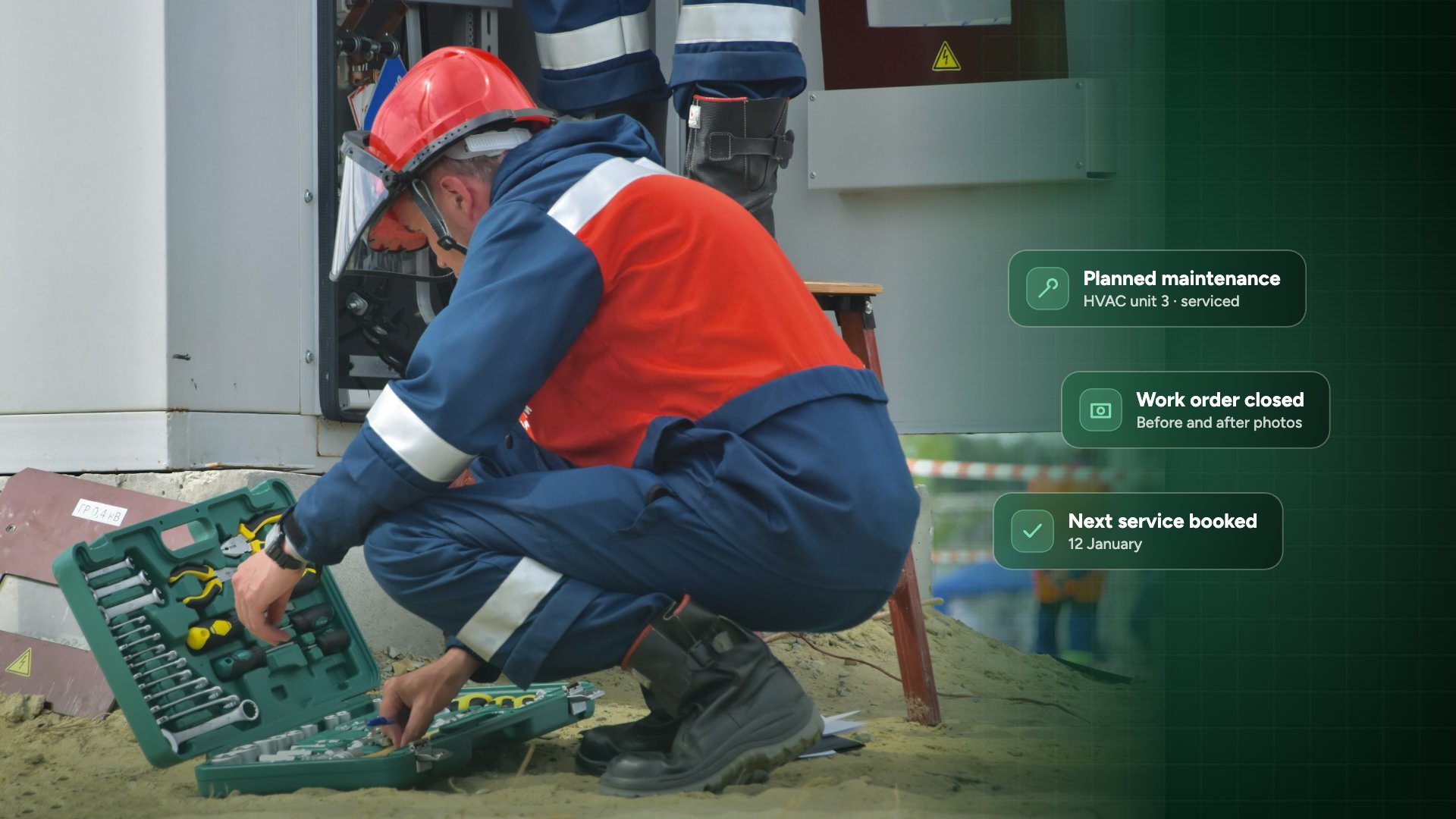
Recurring checks and services are scheduled automatically, and reminders go out before they are due, so nothing depends on memory.
Work Orders With Evidence
Every issue gets a photo, an owner and a deadline, and it is closed with an after photo. Disputes with contractors and clients end quickly.
Mobile Checks, Even Offline
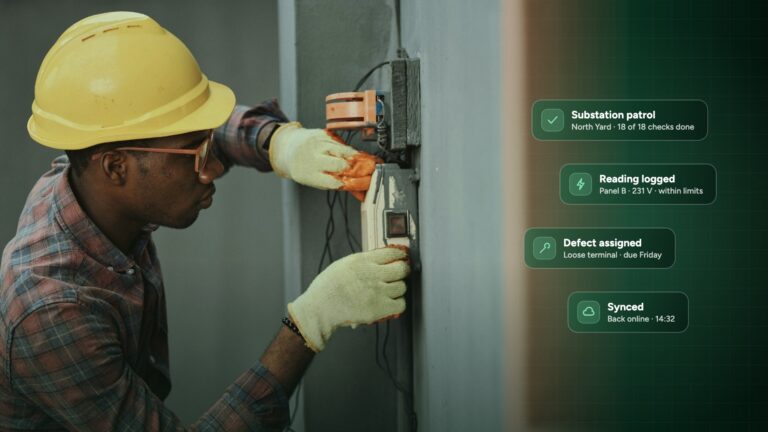
Plant rooms, basements and car parks often have no signal. Inspections save on the device and sync when the connection returns.
One View of Every Site
Scores, open actions and repeat issues for every building in one dashboard, so you can see where to focus before problems grow.




Features to Look For
Use this list when you compare systems:
- Checklists you can build yourself, or convert from your existing PDF and Word forms
- Photo, video, voice note and signature capture on mobile
- Offline mode for areas with poor signal
- Automatic work orders from failed inspection items
- Scheduling and reminders for recurring checks and planned maintenance
- Asset and location records with a full history
- Dashboards across multiple sites, plus PDF reports you can share
- User roles, so contractors see only their own tasks
- Secure, tamper-proof records with time stamps for audits
Questions to Ask Before You Choose
- Will my team use it on site? Ask for a trial and give it to the person who does the walk-rounds, not only the manager.
- Can I use my own checklists? You should not have to change how you work to fit the software.
- Does it work without signal? Test it in your plant room or basement.
- How are contractors handled? They should be able to receive, update and close tasks without seeing everything else.
- What do reports look like? Ask for a sample report you could send to a client or insurer.
- How is pricing structured? Per user, per site or per asset makes a big difference as you grow.
Rolling It Out Without Disrupting the Team
- Start with one site and one checklist, usually the routine building walk-round.
- Mark the critical items, such as fire doors, emergency lighting and water temperatures, that must be fixed quickly.
- Agree who fixes what and the target time for each type of issue.
- Run it for two weeks, review the results with the team, then adjust.
- Add planned maintenance and other sites once the first checklist runs smoothly.
Facility Maintenance Software: Common Questions
What is the difference between a CMMS and inspection software?
A CMMS (computerised maintenance management system) focuses on assets, planned maintenance and work orders. Inspection software focuses on checks, evidence and findings. For most facility teams the two meet in the middle: inspections find the problems and work orders fix them. Inspect it covers both in one app.
Is facility maintenance software only for large organisations?
No. Cloud tools are paid monthly and need no servers, so a single building or a small portfolio can use them as easily as a large estate.
How long does it take to set up?
A first checklist can be running within a day. Most teams have their main routines digital within a few weeks.
Can it help with compliance?
Yes. Time-stamped, signed records with photos show what was checked, what was found and when it was fixed, which is exactly what auditors and insurers ask for.
See It Working on Your Own Buildings
The fastest way to judge facility maintenance software is to run one real inspection with it. Inspect it lets you build a checklist, inspect on mobile, assign the issues and share the report in one afternoon.
Start a 14-day free trial with no credit card needed, or see how facility teams use it on our facility inspection software page.
Explore next: Facility inspection software. See how facility teams use Inspect it for building checks, fire safety and planned maintenance.